Excel
Temperature
Sensor
Measure and read temperature directly in Excel
Download and install the add-on for Free
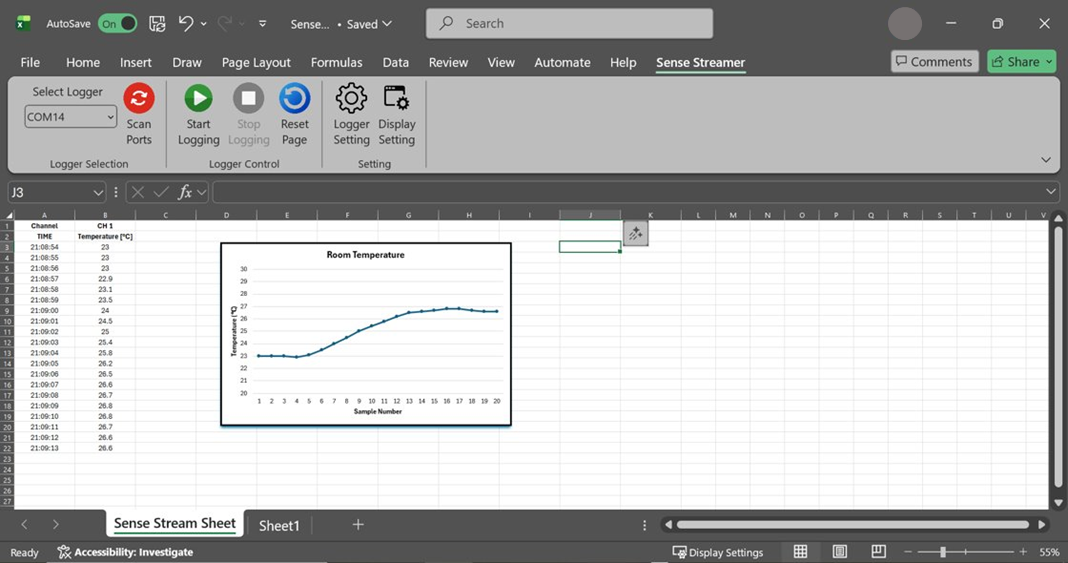
Download the add-on from below. Follow the steps and install the add-on. The add-on appears on the top ribbon bar.

Plug the temperature sensor into the PC’s USB port.
Press the Scan Ports button. Then, select the COM port to which the Temperature Sensor is connected.

Press the Start Logging button.
After pressing Start Logging, you can see the data in the Excel sheet.
